Free Printable Account List: Everything Someone Would Need
A printable account list is one page naming every account you hold, who it’s with, where to find it, and which card pays for it. No passwords, ever. It exists so somebody else can find and close things if you can’t tell them where to look, and so the standing orders only you know about stop arriving.
I wrote it all in a notebook before my surgery
I handle most of the things for our house. The bills, the accounts, the renewals, the who-do-we-call-about-this. If you asked my husband where any of it lives, he’d be starting from nothing.
Before I was having surgery, that landed on me properly for the first time. I should probably have records of a lot of this, just in case. It seemed like the responsible thing to do, the same way writing down where the water shutoff is seems responsible.
So I wrote it all in a notebook for him, and it’s in our safe.
Anything can happen to anyone, and it’s a giant mess these days to figure out what people have or had going on. Twenty years ago it was a filing cabinet and a checkbook. Now it’s forty logins, half of them charging something.
I’ve told my sister that if anything ever happens, she’d better come turn off my Subscribe and Save or 46 items will be delivered every month. That’s the joke version. It’s also true, and it’s a decent test of the whole idea: could somebody find that order and stop it, without me?
Which accounts get you into the rest?
Your main email, your phone carrier account, your password manager, and the phone itself. Those four sit above everything on the list.
Password resets go to an inbox. Verification codes go to a phone number. Somebody who can reach those two can eventually reach almost anything else, and somebody who can’t reach them is stuck no matter how complete the rest of your list is.
Write down what they are and where they live. Not how to get into them.
Which charges don’t stop on their own?
Streaming and apps, standing grocery or repeat orders, power and water and gas, phone and internet, insurance, loans, the gym, the storage unit you stopped thinking about.
These are the ones that make the mess, because they carry on regardless of whether anyone is reading the statement. If you’ve already run the subscription sweep and its seven hiding places, most of this section is done and you’re copying names across. If you haven’t, do that one first, because it finds the charges you’ve forgotten about and this sheet only records the ones you already know.
Note which card pays for each one. In words, not digits. “The blue Visa” is enough to identify a charge on a statement, and it’s useless to anyone who finds the sheet.
Which accounts hold money you’d forget?
Checking and savings are obvious and they’re not the problem. The problem is the small stuff: a balance in a payment app, store credit, gift cards, an old HSA, a brokerage account you opened once.
None of those show up on a statement anybody is watching. They just sit there. If you earn anything on the side, the platforms that pay you belong here too, and the side hustle income log is the sheet that lists them by name.
Google, Apple and Facebook have already built this
Three of the accounts you already have will do a version of this for you, and each one calls it something different with a different limit. These are worth switching on before you write a single line, because they’re free and they take minutes.
| Where | What it’s called | What it does, and the limit |
|---|---|---|
| Inactive Account Manager | Notifies people, and can share parts of your account data, after a period of inactivity you set yourself. Up to 10 people. | |
| Apple | Legacy Contact | You can have more than one. They don’t need an Apple Account or an Apple device, and they’ll need the access key you generate plus a death certificate. |
| Legacy contact | Exactly one, and it has to be one of your Facebook friends. They can pin a post and request the account’s removal. They can’t log in or read your messages. |
Read the Facebook row twice. One person, and it has to be someone already on your friends list, so if the person who’d actually handle this isn’t on Facebook, that setting can’t reach them.
Here’s the honest limit, and it’s the reason the paper still matters. Almost nothing else has a setting like this. Your power company doesn’t. Your insurance portal doesn’t. Amazon doesn’t have one for a standing order. Three accounts are covered by a switch, and the other thirty-seven are covered by a list somebody wrote down.
Where should the list live?
Wherever you’d keep a passport. A safe, a lockbox, a fireproof document holder, or with the one person who’d need it. Mine is in the safe, which is also where I’d look for it if I were the one going through someone else’s paperwork.
The part that gets skipped is the last part. Tell somebody it exists and where it is. A list you haven’t told anyone about is exactly as useful as no list.
And redo it once a year against a date you already keep, the way you’d handle the renewals that expire while you’re not looking. A list from four years ago sends someone to three accounts you closed and misses the six you opened since.
Build your account list
Loose Ends walks it in five steps. Check off what you have, add anything missing, and it builds the list grouped the way somebody else would need to read it. It also tells you which of your accounts have one of those built-in settings you could switch on today.
It asks what exists and where it lives. It never asks for a password, a PIN, an account number or a security answer, and it doesn’t have anywhere to put one.
Nothing you type into it leaves your browser. There's no account and no server behind it.
The printable account list
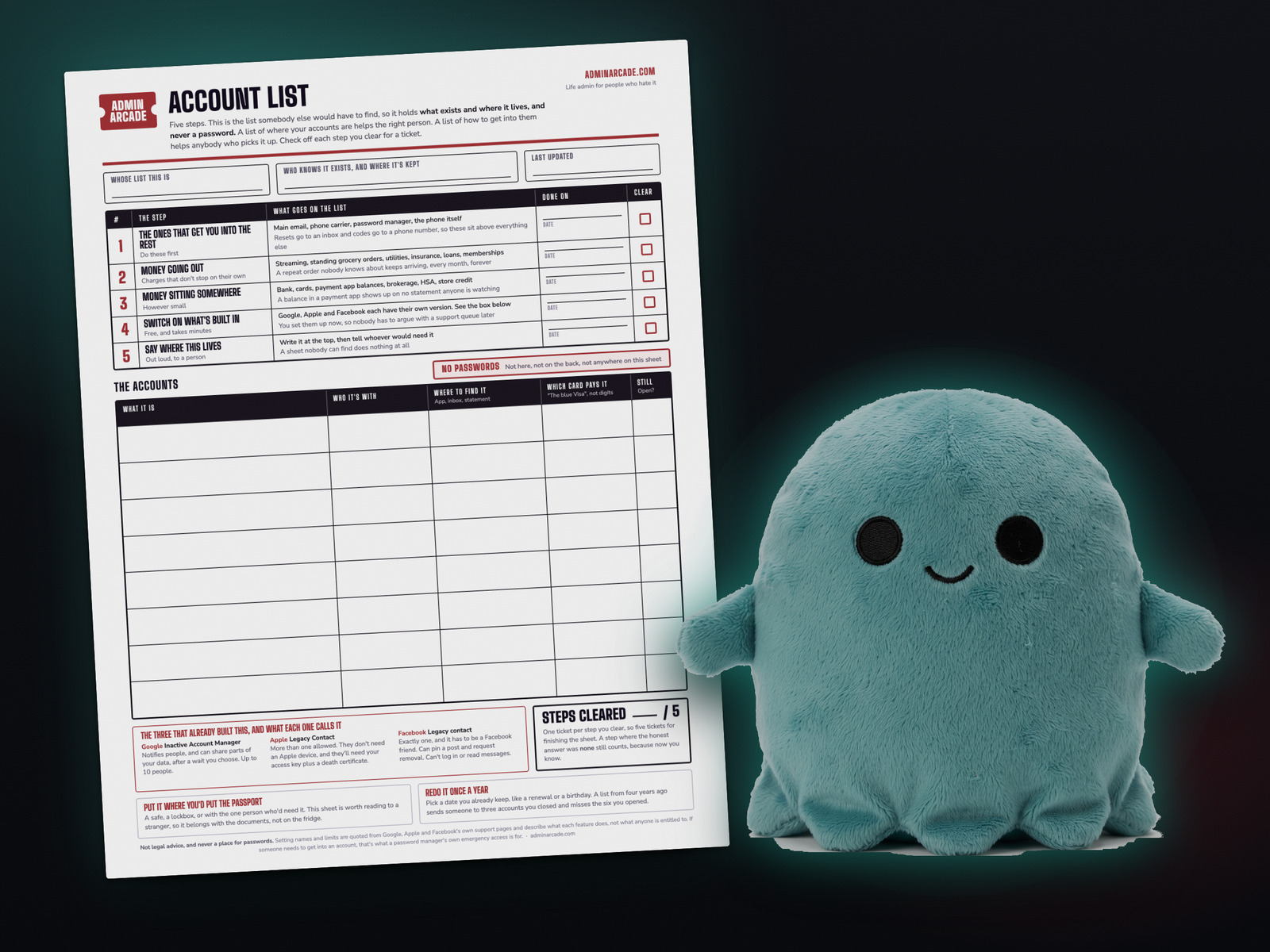
One page, free, no email required. The top is the five steps with a box to check off each one. The middle is an eight row grid for what the account is, who it's with, where to find it, and which card pays it. The bottom has the three platform settings printed on the sheet with their limits.
There's a line at the top for who knows this sheet exists and where it's kept, because that's the step that makes the rest of it work. And there's no password column, which is the one design decision on this sheet I'd defend hardest.
Keep it where you keep the passport. This is a sheet you'd be comfortable reading aloud to a stranger, and it still belongs with the documents rather than on the fridge.
Clear all five steps and you've earned five tickets and Dormant Dolly, who is the prize on this one. Nothing expires and there's no streak to lose, so a sheet you start in June and finish in October still pays the same five.
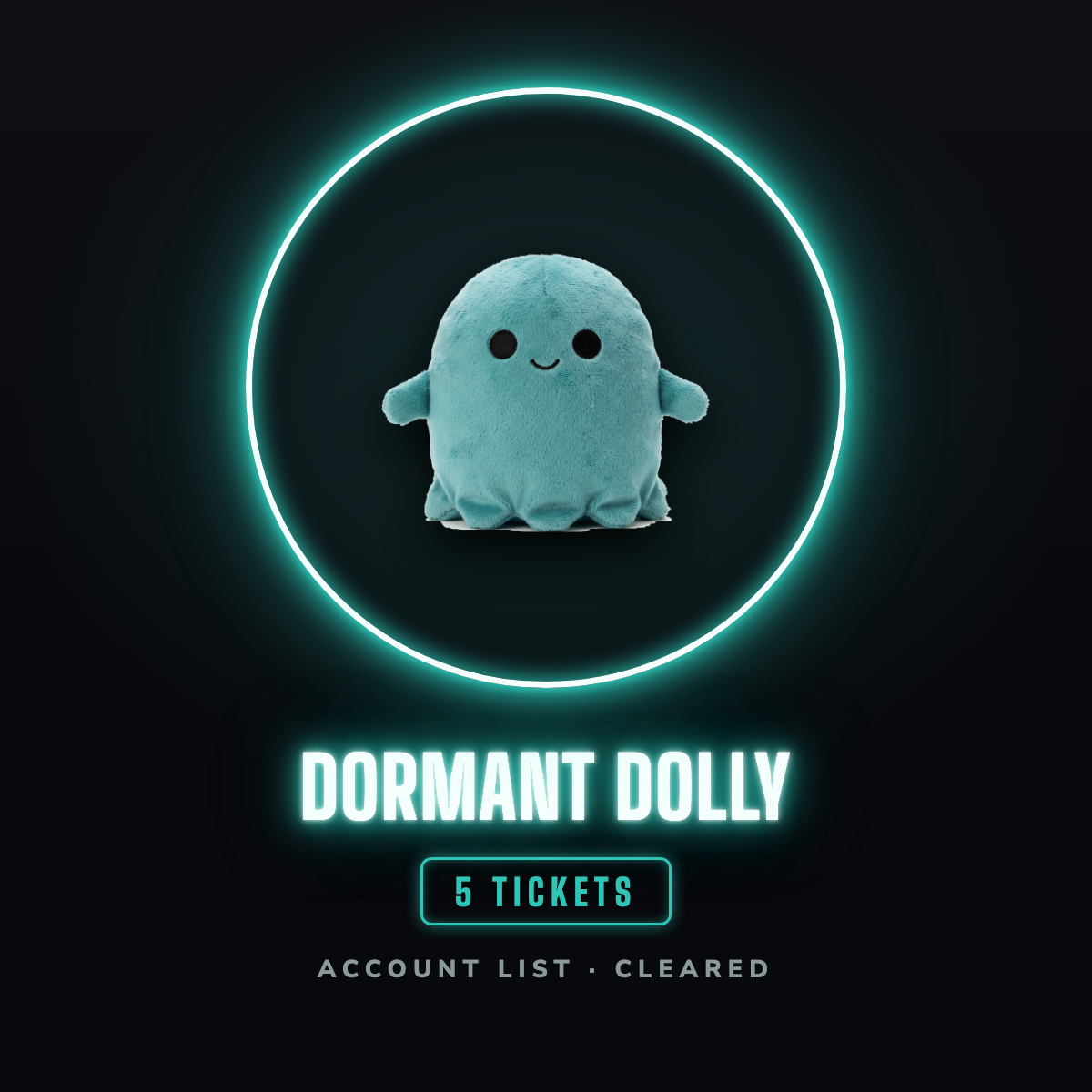
Dormant Dolly has a paper version. The Prize Counter is a blank sheet of twelve circles you print once and keep, and the prize stickers are the ones you cut out and stick on it. Both are free on one page, and that page always has the newest prizes.
Did the five steps on paper instead of in the tool? That still counts. Nothing on this site is locked behind a sticker, and the tally only ever goes up.
Not legal advice. The settings above are described using each company's own support pages, and they cover what the feature does rather than what anyone is entitled to. For anything about estates or wills, talk to a professional.
Questions people ask
Should I write my passwords on an account list?
No. The list is what exists and where it lives, so a stranger who found it still couldn't get into anything. If somebody genuinely needs access, that's what a password manager's own emergency access feature is for, because it can be revoked and it leaves a trail. A sheet of paper can do neither.
What is Google's Inactive Account Manager?
It's Google's own version of this. You choose how long Google should wait, and after that period of inactivity it notifies people you picked and can share parts of your account data with them. You can select up to 10 people. It's in your Google Account settings, and it's free.
Can someone manage my Facebook account if something happens to me?
Only if you name a legacy contact first, and only one person can hold that role. It has to be one of your Facebook friends. They can write a pinned post, update your profile and cover photo, request the account's removal, and download what you shared. They can't log into your account or read your messages.
Does my Apple legacy contact need an iPhone?
No. Apple says a Legacy Contact doesn't need to have an Apple Account or an Apple device. You can have more than one. To request access they need the access key you generate when you name them, plus a death certificate.
What should actually go on the list?
What the account is, who it's with, where you'd find it, and which card pays for it in words rather than digits. Start with the accounts that get you into the others, which are your main email, your phone carrier and your password manager, then the things that charge you, then anywhere a balance sits.
Is the printable free?
Yes, and there's no email required to get it. Nothing on Admin Arcade sits behind a signup form.
A tool I built
Emergency Fund Aquarium
Log what you save at your own bank and watch your tank fill with creatures. Your money never moves through the app.
Start your tank →I run an affiliate program on the tools I build. Approved affiliates earn 20% on what their referrals pay, for up to a year. US only for now. See the program →