Things That Expire: The Renewals List I Keep Forgetting
Things that expire are the parts of your life with a date attached: subscriptions, domains, licenses, car registration, your passport, warranties. The date hides in six places, and the yearly ones are the expensive kind, because they charge once and then go quiet for eleven months. Write every date onto one page, set a reminder a month before each, and none of them can arrive as a surprise.
Tailwind renewed for a year I didn’t want
This was back when I still had my old blog. Tailwind billed annually, I’d stopped using it, and I meant to cancel before it came around again. Then it came around again and took the year anyway.
The thing about an annual charge is that it hurts more. A monthly subscription shows up on every statement, so even if you’re not paying attention you eventually trip over it. A yearly one you see once, and by the time you see it the money’s gone and you’ve bought another twelve months of something you’d already decided against.
Domains do the same thing to me. I buy them, I get excited about an idea for a week, and a year later a renewal goes through for a site I was never going to build. That’s not a story about one bad Tuesday. It’s a pattern I’ve watched happen more than once, which is the only reason I have any business writing this down.
I’ve tried to get good at putting renewals into Asana as I find them. Some still slip. I haven’t solved it. What I have done is put every date in one place, so the ones I miss are the exception instead of the default.
Where do renewal dates hide?
Your phone, your registrar, your inbox, your cards, your wallet, and your drawer. Do them in that order, because the first three hold almost everything and the last three take about a minute each.
- Your phone. On an iPhone that’s Settings, your name, then Subscriptions. On Android it’s the Play Store app, your profile icon, Payments and subscriptions, then Subscriptions. Each one shows you its own renewal date, which is the part a bank statement can’t tell you.
- Your registrar. Your domain list, the expiry column, and whether auto-renew is switched on. If you’ve ever bought a domain at midnight for an idea you had at 11pm, this is the one.
- Your inbox. Search for renews, renewal, and receipt. Annual software lives here and nowhere else, and it’s the most expensive category on the list.
- Your cards. Annual fees and memberships. Anything that charges once and then says nothing for a year.
- Your wallet. Driver’s license, car registration, insurance card. The date is printed right on the thing, so this is the fastest stop on the list.
- Your drawer. Passport and warranties. Filed somewhere sensible, which is exactly why I never look at them. Mine are all in one fireproof document holder now, so checking them is one zip instead of four drawers.
That’s a different job from hunting down what’s charging you, which I’ve written about separately in the subscription sweep and the seven places subscriptions hide. A sweep tells you what’s taking money right now. This tells you what’s going to take money in eight months, while there’s still time to do something about it. If you want to do that sweep first, here’s the ten minute version.
How long does each thing actually last?
A US passport runs 10 years for an adult and 5 for a child under 16. A domain runs a year at a time, annual software runs 12 months from the day you signed up, and your license and car registration vary by state. Here’s the whole list, and where to go looking when you can’t remember.
| What it is | How long it usually runs | Where the date lives |
|---|---|---|
| US passport, issued at 16 or older | 10 years | Printed inside the front cover |
| US passport, issued under 16 | 5 years, and it can’t be renewed | Printed inside the front cover |
| Driver’s license | Varies by state | Printed on the card |
| Car registration | Usually a year, varies by state | The card in your glovebox |
| Domain name | A year at a time unless you bought more | Your registrar’s domain list |
| Annual software | 12 months from the day you signed up | The receipt in your inbox |
| App store subscription | Whatever you picked when you subscribed | Settings, your name, Subscriptions |
Two of those are worth saying out loud. A US passport issued to an adult runs 10 years, and one issued to a child under 16 runs 5 and has to be replaced rather than renewed. And plenty of countries want at least six months left on it before they’ll let you in, so the date that matters to you is earlier than the date printed in the book.
Why didn’t the warning email reach you?
Usually because it went to an address you stopped reading. My honest hope, every time, is that the company sends a warning email. They all should. They all don’t, and there’s no way to tell in advance which ones will.
Domains are the interesting exception, because there the warning isn’t optional. Under ICANN’s rules a registrar has to send you at least two renewal notices before a domain expires, one about a month out and one about a week out, and another one within five days after if it lapses. That’s not a courtesy. It’s a requirement they operate under.
Which raises the obvious question about the domains that renewed on me anyway. Those notices go to the registrant email on file, and the registrant email on file is very often an address you set up years ago and stopped reading. The warning went out, it just didn’t go anywhere I was looking, and it never occurred to me to check which address it had.
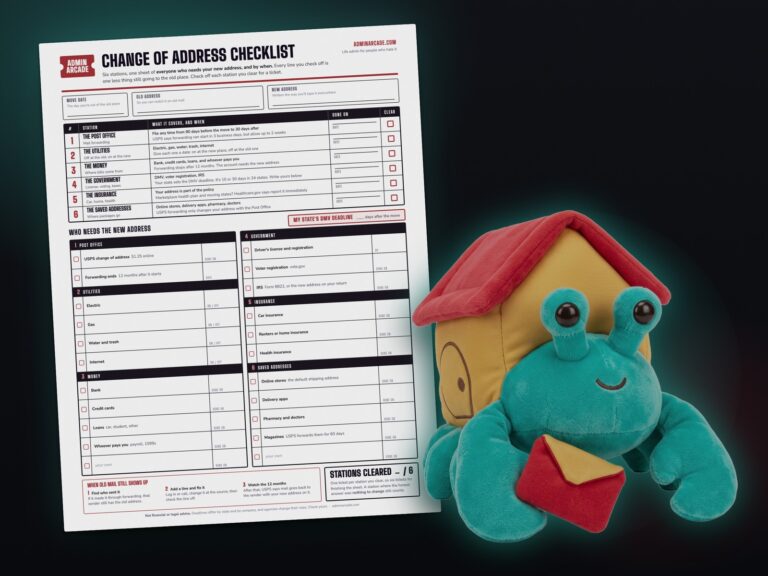
So while you’re in your registrar checking dates, check which address it has for you. If you’ve moved, the mailing address on your accounts has the same problem, and my change of address checklist covers that one. That one takes about thirty seconds and it’s the highest-value thing on this whole page.
Build your renewal year right now with the tool
It walks you through the six places one at a time, because opening all six at once is how this gets abandoned. Add whatever you find as you go. At the end you get your whole year on one screen, with the heaviest month flagged and a reminder date worked out for every entry.
Nothing you type leaves your browser. There’s no account, no login, and no server behind it to send anything to. It saves on your own device so you can stop halfway and come back.
Six places checked is six tickets, whether or not you found anything in them. A place with nothing in it still counts, because you checked it and now you know.
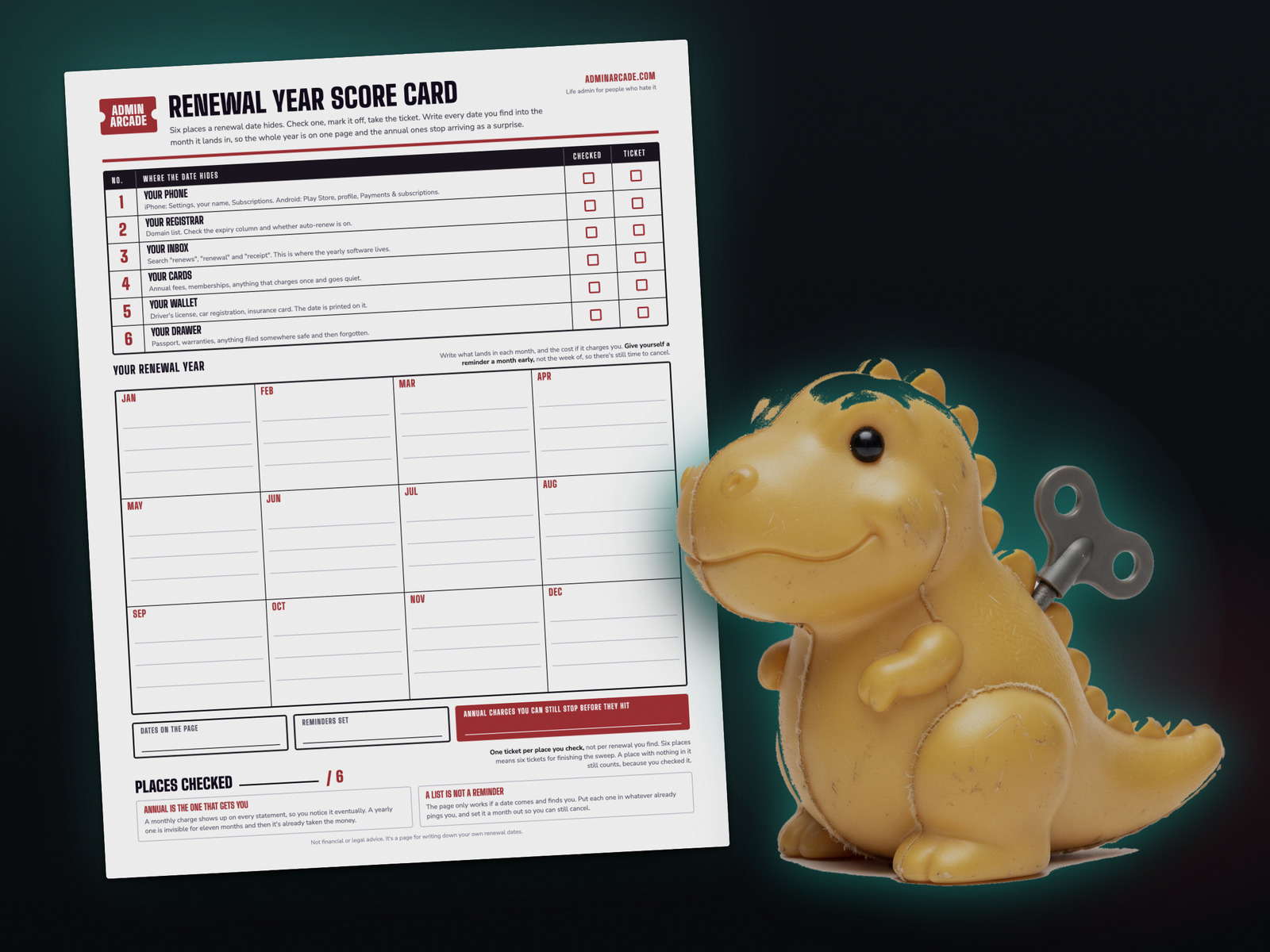
Get the printable renewal year score card
One page. The six places to check across the top with a box for each, and your twelve months underneath to write the dates into. If you'd rather do this with a pen at the kitchen table than on a screen, this is the same job on paper.
No email, no signup. It's a PDF.
Two rules that make this stick
Put the reminder a month out, not the week of. A week isn't long enough to cancel something, argue with a support chat, or decide whether you actually want it. Thirty days is enough time to change your mind and act on it.
A list isn't a reminder. This is the one I get wrong. I write the date down, feel like I've handled it, and then the page sits there being correct while the charge goes through. The page only works if the date comes and finds you, so every one of them has to end up somewhere that already pings you. Whatever you already look at is the right place, even if it's messy.
If the pile of dangling paperwork behind this is bigger than one sitting, that's a different job and it has its own page: running an admin night in forty minutes. Renewal dates are one of its four stations there, and this post is that station done properly instead of in ten minutes.
Renewal Rex has a paper version. The Prize Counter is a blank sheet of twelve circles you print once and keep, and the prize stickers are the ones you cut out and stick on it. Both are free on one page, and that page always has the newest prizes.
Checked the six places on paper instead of in the tool? That still counts. Nothing on this site is locked behind a sticker, and the tally only ever goes up.
Questions people ask
How do I find out when a subscription renews on my phone?
On an iPhone, open Settings, tap your name, then tap Subscriptions. Each active subscription shows its own renewal date. On Android, open the Play Store app, tap your profile icon, then Payments and subscriptions, then Subscriptions. This is the only place the date is visible, because a bank statement shows app charges as a single line from Apple or Google with everything stacked behind it.
What's the difference between this and a subscription audit?
An audit finds what's charging you right now, so you can cancel what you don't want. This finds the date each thing renews, so you can catch the yearly ones before they charge at all. The two overlap but they answer different questions, and yearly charges are the ones an audit tends to miss, because they only appear on one statement out of twelve.
How far ahead should I set a renewal reminder?
Thirty days. A week isn't enough time to cancel something, get through a support chat, or decide whether you still want it. A month gives you room to change your mind and actually do something about it. The tool works this out for every date you enter.
Do companies have to warn me before an annual charge?
Mostly no, and the ones that do warn you aren't consistent about it. Domains are the exception. Under ICANN's rules a registrar has to send at least two notices before a domain expires, one about a month out and one about a week out. Those go to the registrant email on file, so check which address that is while you're in there.
Is it safe to type my renewal dates into the tool?
Nothing you type leaves your browser. There's no account, no login, and no server behind the tool to send anything to. It saves on your own device so you can come back to a half-finished sweep, and there's a button that wipes it. Don't type account numbers into it, or into anything else. It only needs the name and the date.
What if I already missed one?
Write the date down anyway. A renewal you missed this year is a renewal you can catch next year, and the tool rolls any date that's already gone by forward to the next one so it lands in the right month. Missing one doesn't put you back at the start.
Not financial or legal advice. It's a page for writing down your own renewal dates.
A tool I built
Subscription Graveyard
Bury the subscriptions you've canceled, give each one a tombstone, and watch what you're saving pile up.
Bury your first one →I run an affiliate program on the tools I build. Approved affiliates earn 20% on what their referrals pay, for up to a year. US only for now. See the program →